
Every device, every site
One small agent on one PC at each client finds every networked copier and printer and reads it on a schedule. It only ever calls out, so there is nothing to open on the client's firewall.
Connect|Control|Conserve
PrintFleet reads every copier and printer at every client site, gives you meter reads you can bill from, gets toner there before it runs out, and shows it all under your own brand.
In use by South African dealers today. No open ports, no VPN.
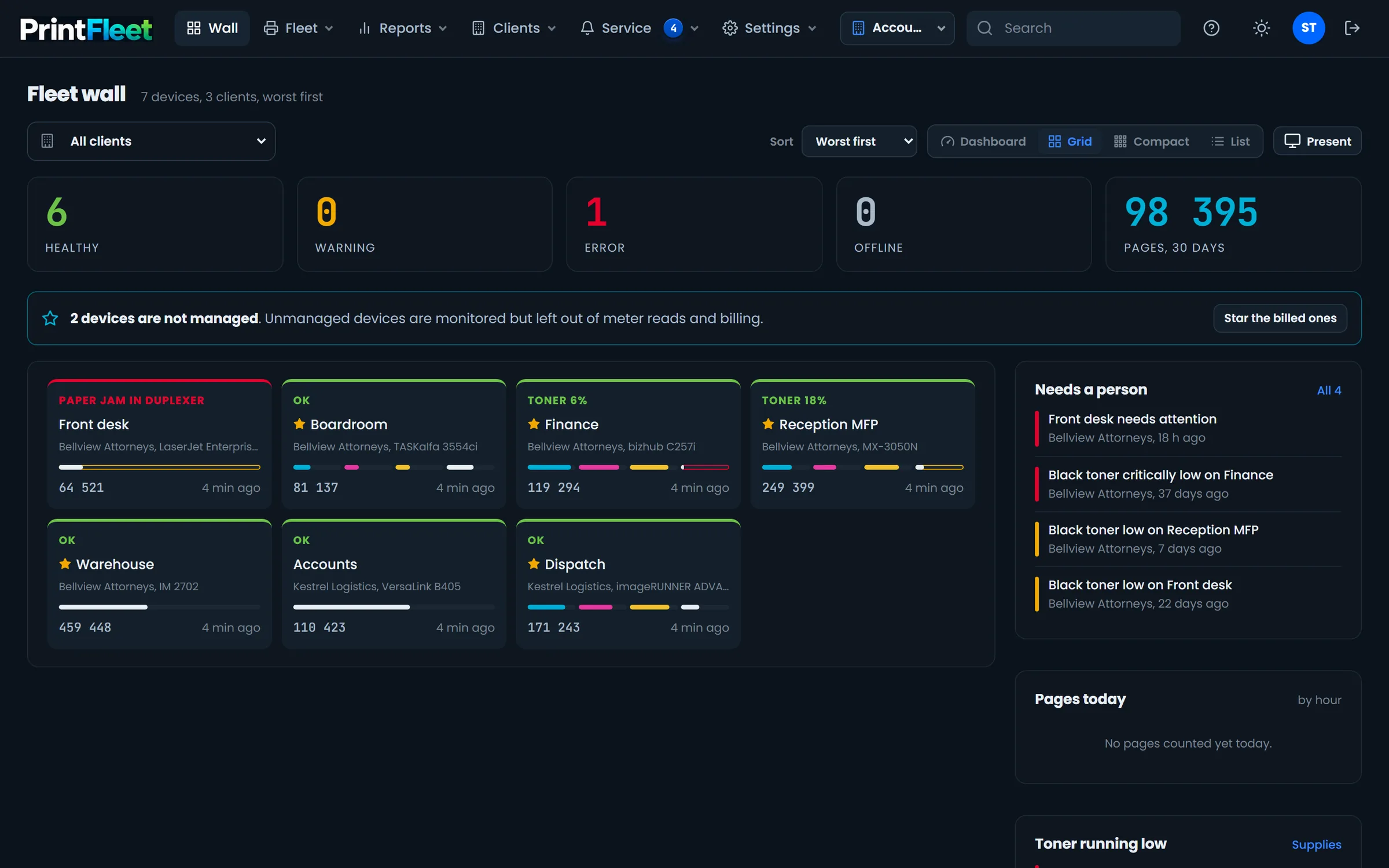
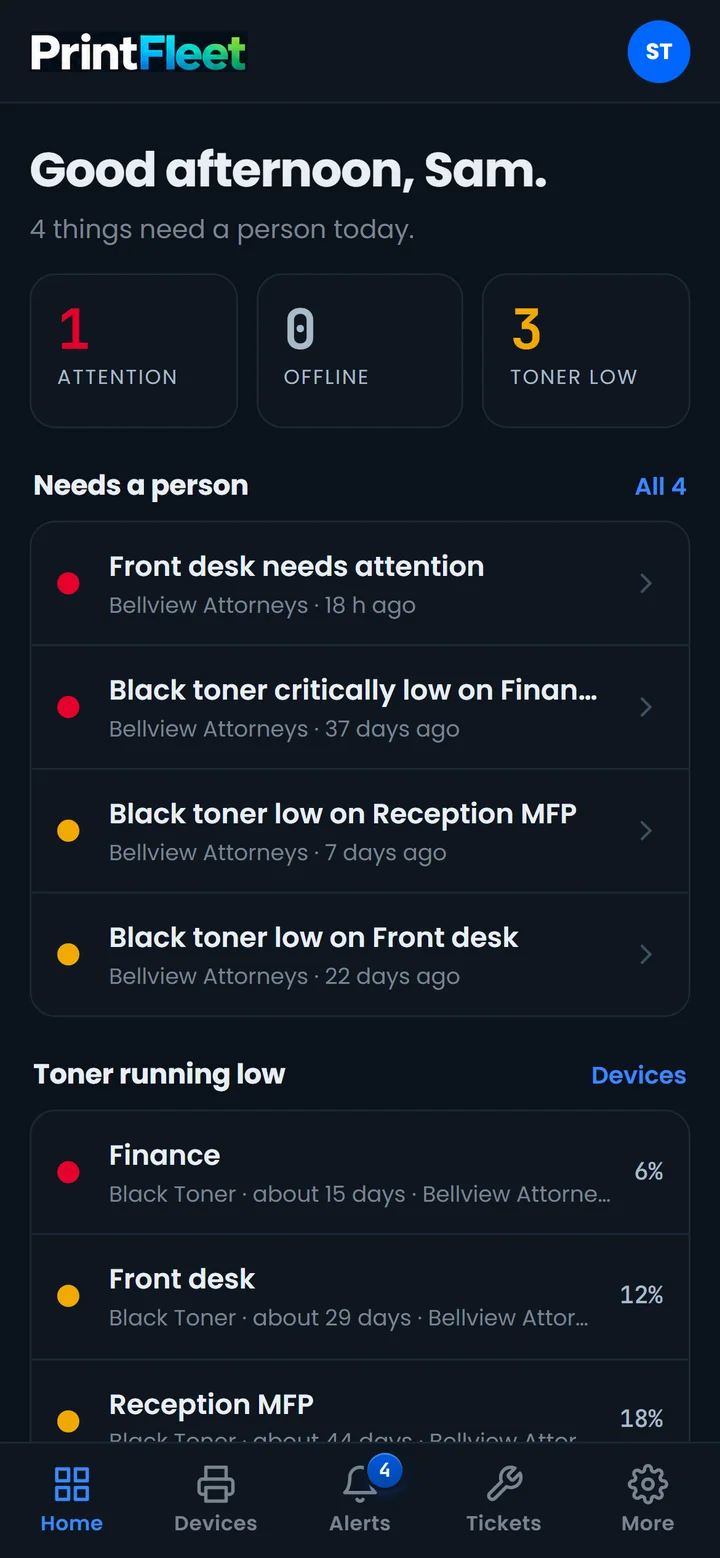
Live, a sample fleet
One platform, three promises
One small agent on one PC at each client finds every networked copier and printer and reads it on a schedule. It only ever calls out, so there is nothing to open on the client's firewall.
Counters you can bill from, toner forecasts, alerts at any level and a service desk, all in one place. Your team sees trouble before your client picks up the phone.
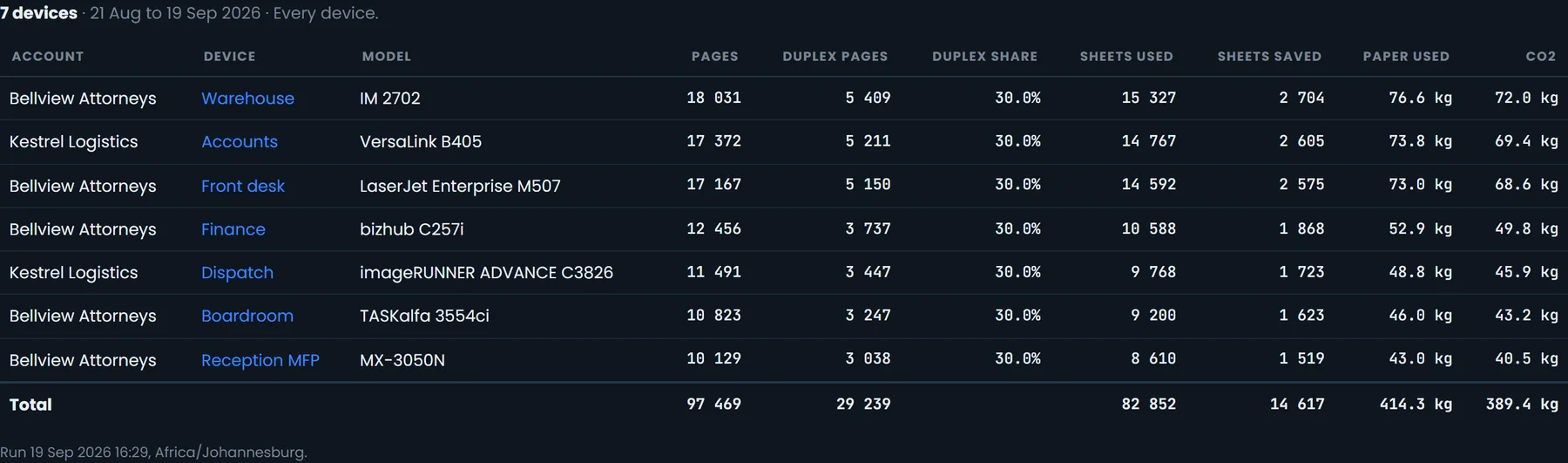
Remote access to each printer's own web page saves site visits. The green report shows the paper and CO2 your clients saved by printing on both sides.
Features
Everything below is in the product today, shown on its real screens.
Billing accuracy
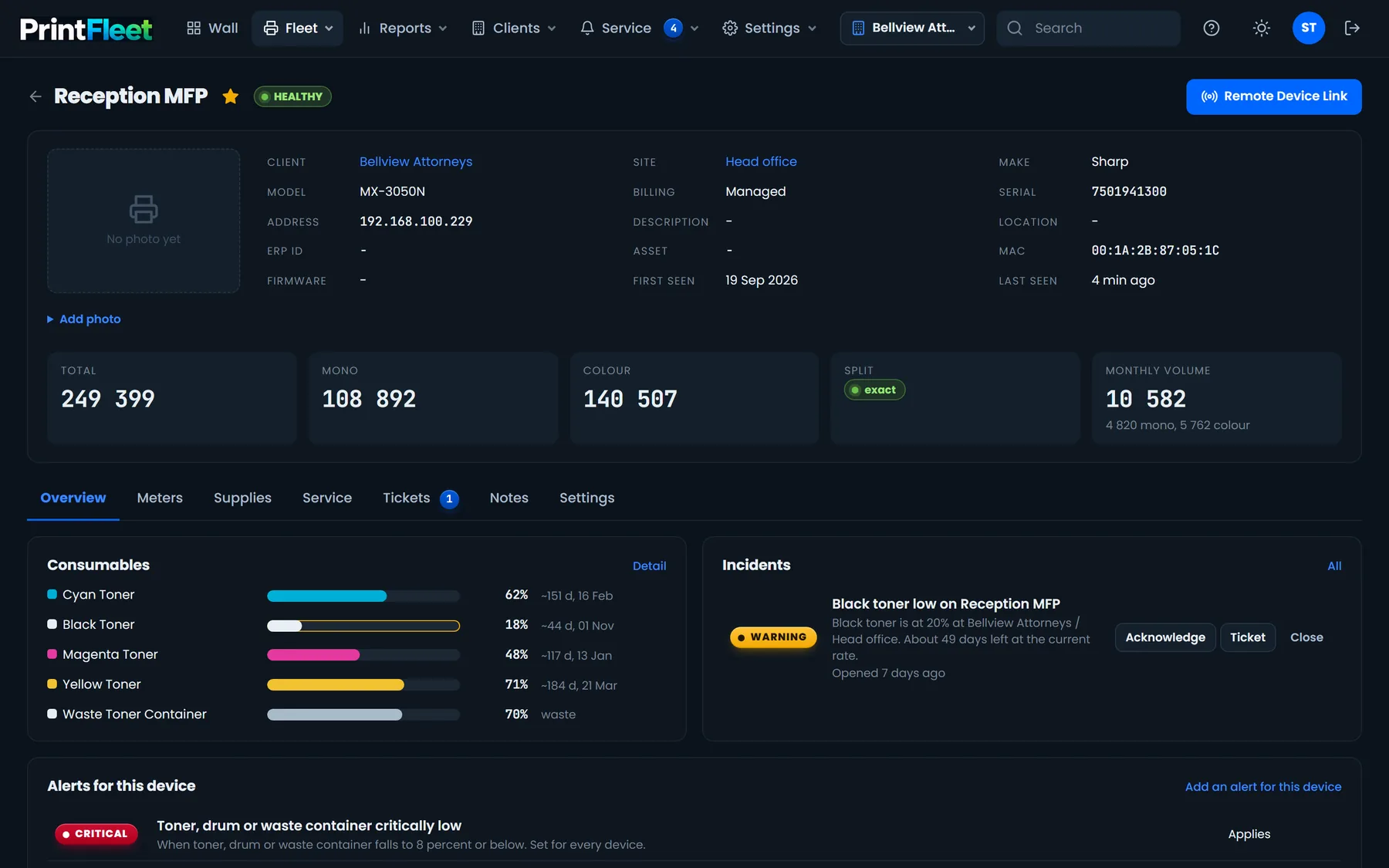
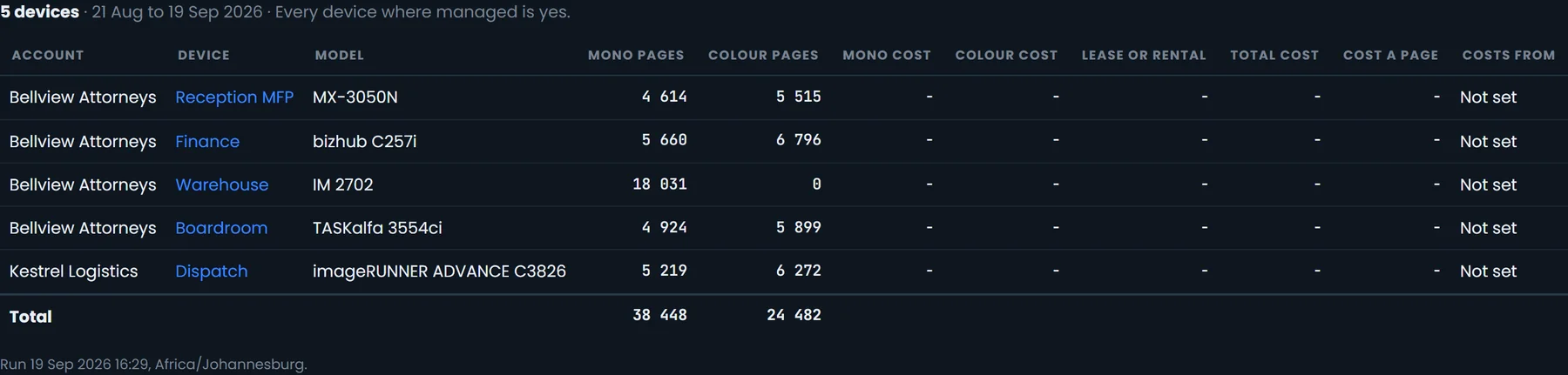
Total, mono and colour counters for every device, each with an honest label: exact from the maker's own counter, derived, or total only. You see that label wherever a number could be billed.
Toner on time
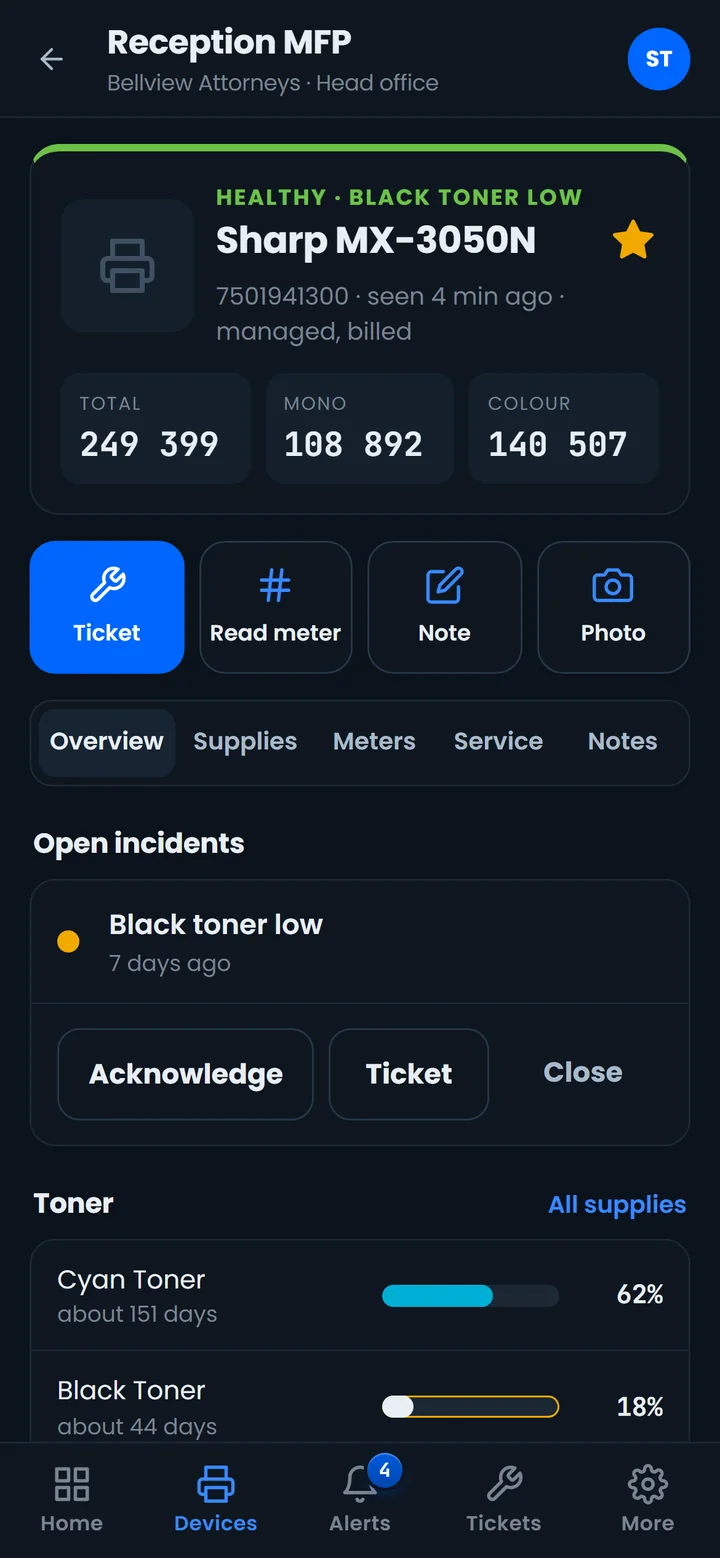
PrintFleet forecasts the day each cartridge runs out, raises a low toner alert and lets you order in one click. When the agent sees the new cartridge fitted, the job closes itself.
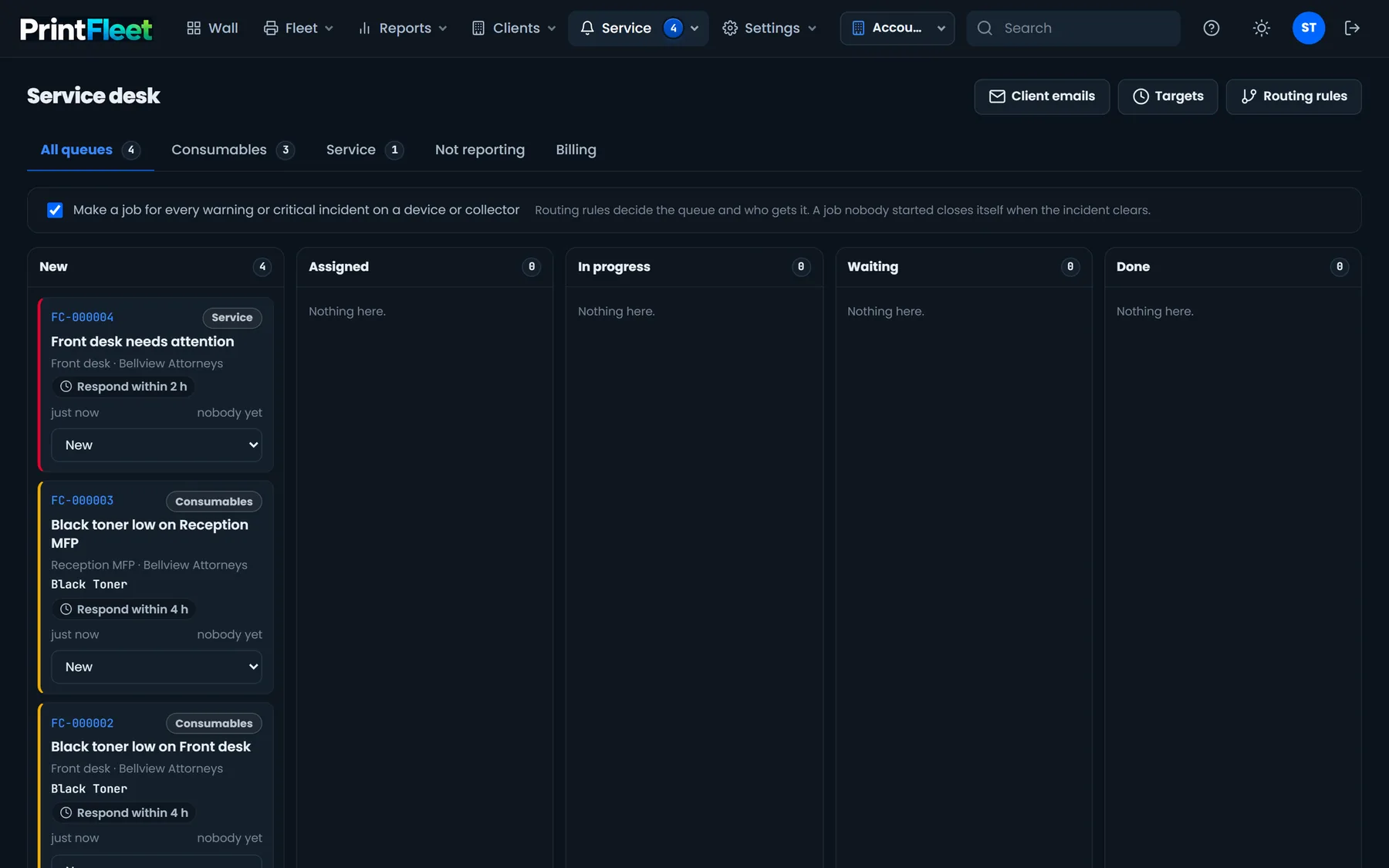
Service desk Add-on
Jobs sit on a board by queue and stage. Routing rules read like plain sentences. Service targets count in working hours, with South African public holidays built in.
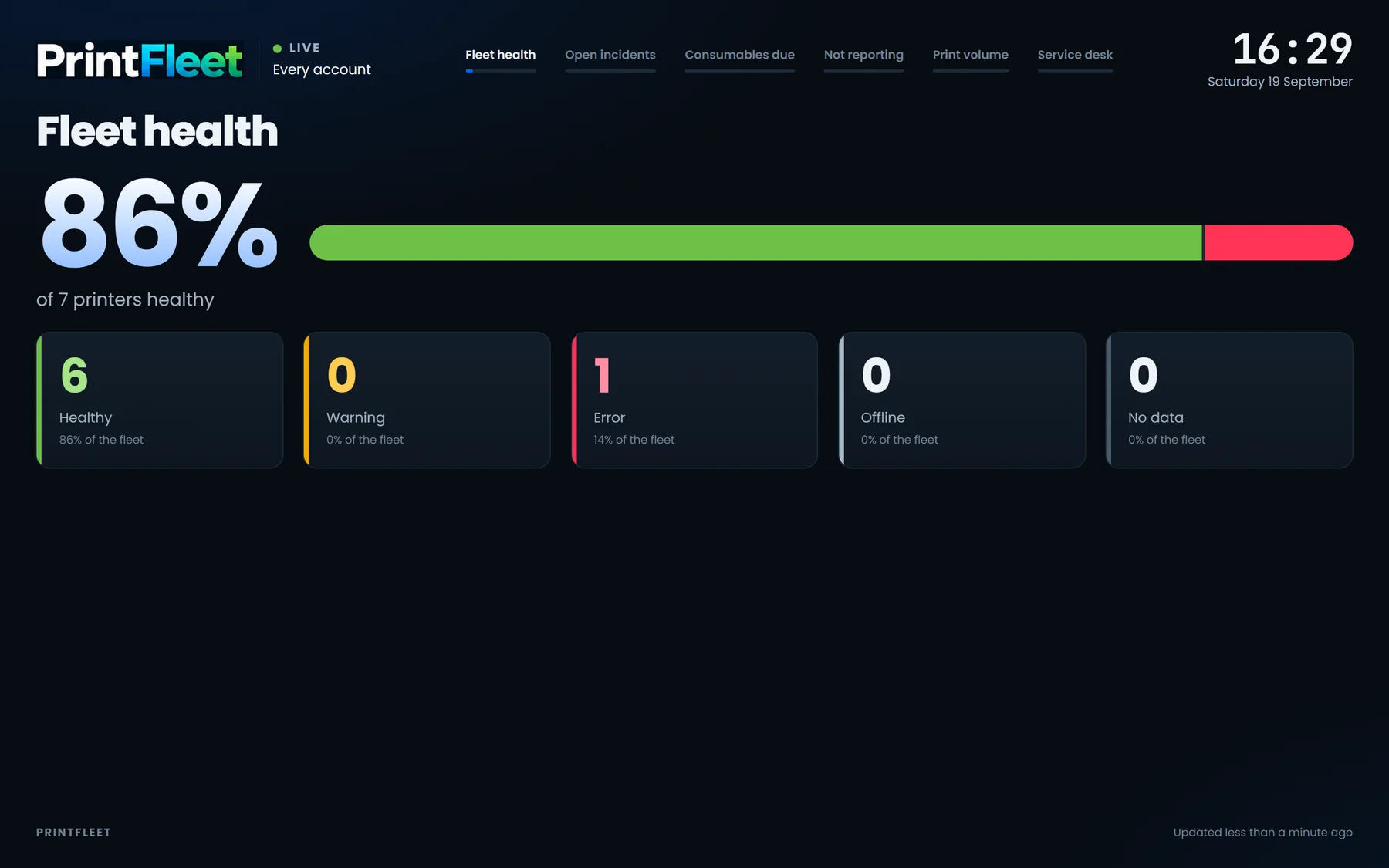
The wall screen
The Fleet wall runs in the office. Present mode runs on a TV in your service centre: live, rotating slides of fleet health, open incidents, consumables due and print volume, with no one signed in.
Reports and more
Meter reads, utilisation, supplies due, reporting status, alert history, device age, uptime, a green report and total cost of ownership. Save any of them and have them emailed on a schedule.
Open any printer's own web page from anywhere, through the agent, without a VPN. Fewer trips to site.
Ask in plain language: "which printers run out of toner this week?" Quick answers are free, and an AI assistant runs on your own AI account.
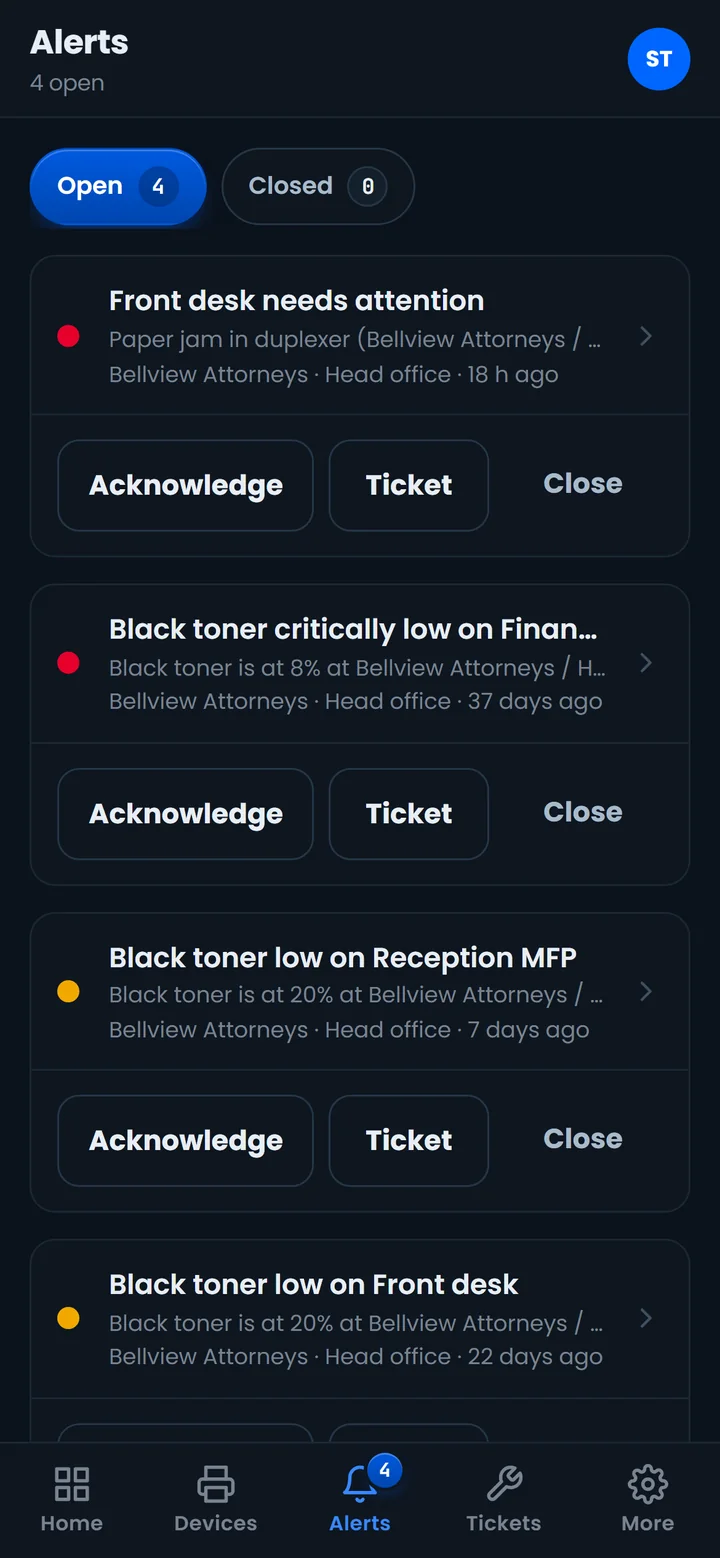
Installs from the browser on Android and iPhone, with push notifications. The fleet, alerts, tickets and meter reads in your pocket.
Client users see only their own fleet. Account admins run their own branches, so head office stays in charge.
How it works
Run the setup program on one Windows PC at the client site. It carries your brand, installs as a service, updates itself and needs no firewall changes, open ports or VPN.
The agent discovers every networked copier and printer and reads them on a schedule over SNMP, the standard language printers use to report their counters and supplies.
Counters, toner, alerts and jobs arrive in PrintFleet, ready for the monthly meter read, the next toner order and the next service call.
For dealers
Run PrintFleet under your own name. Your clients see you, never us.
Security and trust
open ports at the client
firewall changes
VPNs to manage
The agent only ever makes outbound, encrypted connections to PrintFleet. Nothing on the client's network listens for the outside world.
Client users see their own devices and nothing else. Account admins see their own branches.
The fleet assistant only ever sees what the person asking may see, so a question can never reveal another client's fleet.
Book a demo
A short call. We show you the wall, a meter read and the service desk, in your own colours.
Already on PrintFleet?Sign in to your fleet.
Sign in